
How to Fix an Uncomfortable Desk Height
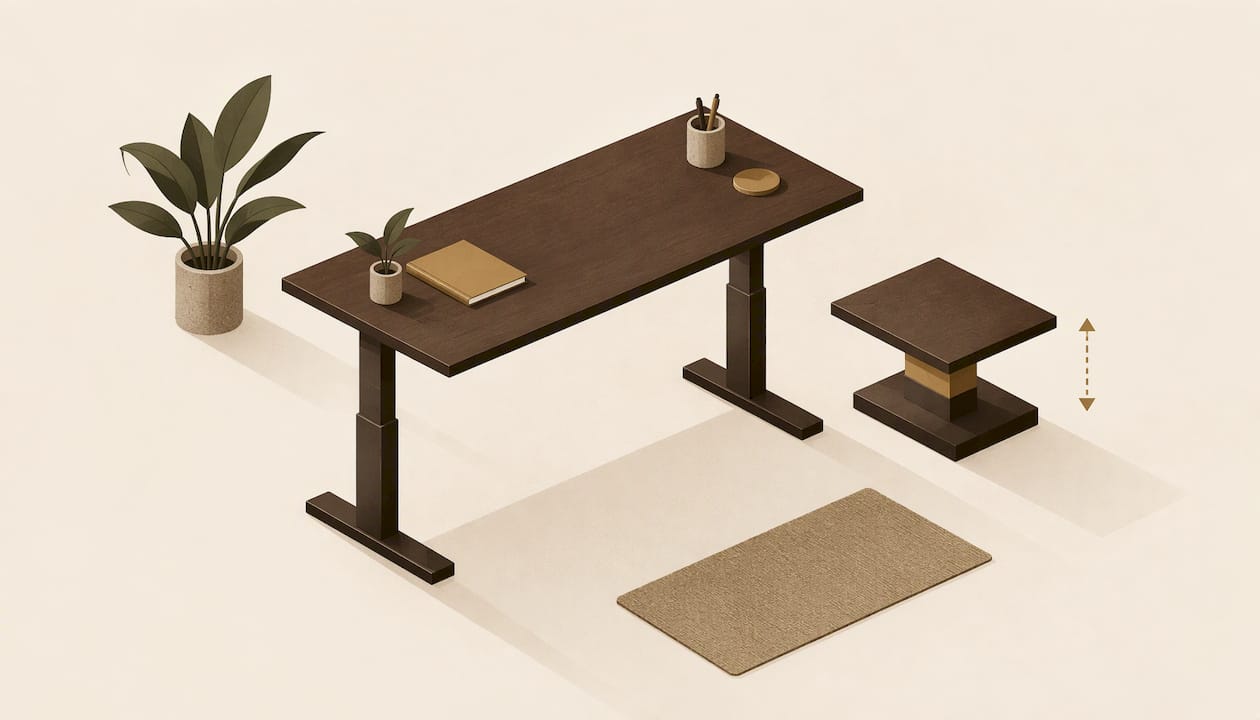
A desk that is the wrong height shows up in your body before you can name it: shoulders creeping toward your ears, wrists bent, a stiff neck by mid-afternoon. The fix starts with one measurement, your seated elbow height, and then depends on which way the desk is off. If it is too low, raising the desk itself with stable risers cut to the exact height you need is the cleanest repair, and it is what we build at Riserman. If it is too high, you adjust the chair and support your feet. This guide walks through both, with the checks that tell you when you are done.
TL;DR
- Measure from the floor to your bent elbow while you sit with your feet supported. Your keyboard surface should sit at about that height.
- Desk too low: lift the desk legs with stable risers. Custom-sized risers let you hit the exact number instead of guessing with blocks.
- Desk too high: raise the chair until your elbows match the surface, and support your feet if they no longer reach the floor.
- After any desk change, recheck the monitor, keyboard and leg room. One change often moves the others.
- Make one adjustment at a time, then reassess over a few days.
Table of Contents
- First, find out which way your desk is off
- Measure your elbow height
- What good looks like once the height is right
- If your desk is too low
- If your desk is too high
- Check the rest of the setup after any change
- Why custom beats guesswork
- Get risers cut to your measurement
- Our perspective
- FAQ
- Sources
First, find out which way your desk is off
Don’t start with a product. Start with your body. OSHA’s guidance on desks says a work surface that is too high or too low can force awkward postures, such as reaching with extended arms or lifting your shoulders to get at the keyboard.
The quick test, based on Canada’s CCOHS guidance:
- Set your chair first, so your feet rest flat and your back is supported.
- If you have to lift your arms to reach the desk surface, the desk is too high for you.
- If your legs cannot fit comfortably under it or cannot move freely, the desk is too low.
A fixed desk is usually built for an average person. At 31 to 32 inches, as many office desks are, a shorter person will feel it as sore shoulders and arms that never settle into a relaxed bend. A taller person at a low desk hunches over it. Neither is a flaw in you.
Measure your elbow height
This is the number that settles the question. The UCSF ergonomics guide describes the method:
- Adjust your chair and sit back with your feet supported.
- Relax your shoulders and let your arms hang.
- Bend your elbows about 90 degrees, with your hands in line with your forearms.
- Have someone measure from the floor to the underside of your elbow, or mark it against a wall and measure afterward.
That figure is your target for the keyboard surface. It is not quite the desktop height, though. The 2024 Malaysian occupational safety guideline on seating notes that keyboard work surfaces typically sit about 30 to 50 mm (roughly 1.2 to 2 inches) below seated elbow height to allow for the thickness of the keyboard, and that individual tasks may call for a broader assessment. Mayo Clinic’s office ergonomics guide puts it simply: hands at or slightly below elbow level.
A worked example: you measure 27.5 inches from the floor to your elbow. Your desk surface measures 29 inches. Allow for a keyboard about an inch thick and you are in decent shape with the desk slightly high, so the chair or a keyboard tray is a small fix. If instead your desk is 26 inches and you measure 27.5, you are short by 1.5 inches or so, and a riser of that height under each leg solves it.
Before you commit, do a trial. UCSF suggests testing the proposed height with a firm surface or keyboard tray first. For more on picking a number for your build and task, a guide to desk height in inches shows how to find yours and test it with your keyboard. Our own walkthrough, Desk Height Ergonomics, covers the same measuring routine for a home office.
What good looks like once the height is right
You are aiming for the neutral posture OSHA describes: head level and aligned with the torso, shoulders relaxed, upper arms by your sides, elbows close to the body and bent between 90 and 120 degrees, wrists straight, and feet supported by the floor or a footrest.
OSHA’s workstation checklist adds practical tests:
- Forearms roughly parallel to the floor.
- Wrists in line with forearms.
- Thighs roughly parallel to the floor, feet supported.
- Room for your thighs and legs under the desk.
On leg room, OSHA generally suggests 20 to 28 inches of clearance beneath the desktop. That matters later, when we raise the desk.
If your desk is too low
A low desk is the problem where the desk itself is the right thing to change. The common alternatives are awkward. Stacking books or scrap wood under the legs wobbles. Raising only your chair pushes your feet off the floor. Sitting hunched over a low surface strains your neck and back.
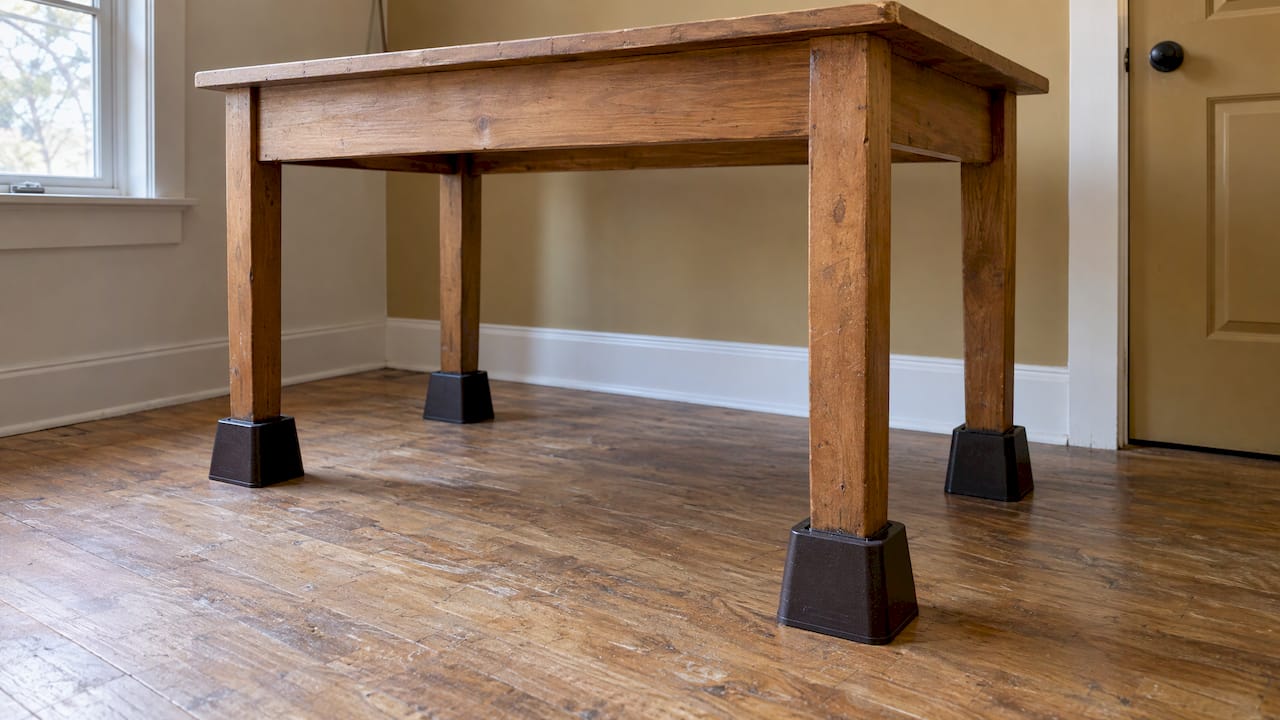
Both OSHA and Mayo Clinic point to the same fix: put stable risers beneath the desk legs. Mayo Clinic suggests sturdy boards or blocks, and OSHA recommends stable risers for a low work surface. The word that matters in both is stable. A riser has to hold the desk’s weight, sit flat on the floor, and not shift when you lean on the desk or when a monitor arm adds load.
Where DIY risers go wrong
Generic risers come in preset heights, commonly in round steps, and their cups are sized for typical square or round legs. Your desk may have tapered, angled or irregular legs. Your elbow-height math may call for 1.6 inches and the nearest preset is 2 or 1.5. Neither gives you the posture you measured.
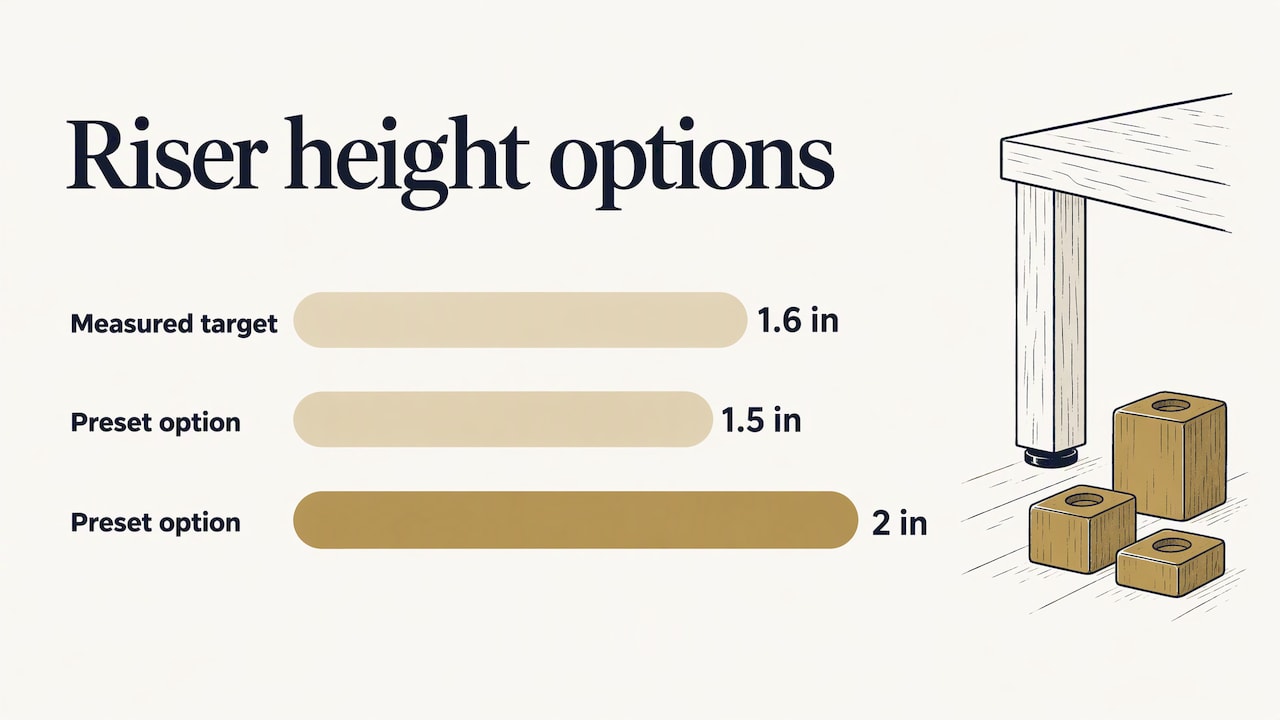
That is the gap custom risers fill. At Riserman you enter the dimensions you need, down to the hundredth of an inch, and the riser is 3D-printed to those measurements. It can be made for round, angled, irregular or standard legs, so the riser fits the leg rather than the other way round. Our desk risers page has the configurator, and the cost updates as you choose options.
A short routine for raising a desk
- Subtract. Take your target keyboard-surface height (elbow height minus about an inch for the keyboard) and subtract your desk’s current height. The difference is your riser height.
- Measure each leg. Record its shape and its width at the foot. A tapered leg needs its measurements taken where the riser will actually grip.
- Check leg room. Raising a desk adds clearance, which helps. Just confirm your monitor and keyboard still sit well afterward.
- Weigh the load. A solid wood desk with a multi-monitor setup is heavier than a hollow-core table. For heavy loads we offer an extra stability option, $5.00 one-off per each, and a dedicated heavy duty risers line.
- Set it level. Lift one end at a time with a helper, never the whole desk loaded. Empty the desk first.
- Retest. Sit down, relax your arms and check the 90-degree bend again.
For the full lift-and-check sequence, see our guide on how to raise desk height safely.
Risers or a sit-stand desk?
OSHA also recommends considering a height-adjustable desk. If you want to alternate between sitting and standing, an adjustable desk is a different purchase for a different goal. If you simply want your existing desk to fit you while sitting, risers keep the desk you already own and like. We compare the two in Desk Risers vs. a Standing Desk.
If your desk is too high
You cannot easily shorten most desks, so the fix is to bring everything else up to meet the desk. This is the order recommended by CCOHS and OSHA:
- Raise the chair until your elbows are about level with the work surface. OSHA notes that when a work surface cannot be lowered, raising the chair may accommodate the user.
- Support your feet. If raising the chair lifts your feet off the floor, use an adjustable footrest that supports both feet. WorkSafeBC specifies a nonslip surface large enough for both feet and stable enough not to slide, with its height matched to the gap between your feet and the floor.
- Check your thighs. The chair seat should not press the backs of your knees. CCOHS suggests a fist-wide gap, about 2 inches, between seat edge and calves.
- Remove or lower the armrests if they push your elbows up. CCOHS says to take them off if they cannot be set to barely touch the undersides of your elbows.
- Consider a keyboard tray. The Malaysian guideline lists an adjustable tray under a too-high fixed table as an option. OSHA says it should adjust in height and tilt, leave room for your legs and feet, and fit both keyboard and mouse.
If the chair itself is the limit, whether it does not go high enough or you share it, you can lift a fixed chair too. Our chair risers are built to your dimensions, and How to Raise Chair Height covers methods that stay stable. Whichever way you raise it, recheck foot support afterward.
Check the rest of the setup after any change
Changing desk height moves your eyes and arms relative to everything else. The University of Washington’s guidelines recommend an iterative approach: note where you hurt, adjust the part most likely to be responsible, then reassess instead of assuming one change fixes every symptom.
| Symptom | Likely cause | Adjust |
|---|---|---|
| Raised shoulders, tense forearms | Desk or chair too low for the surface, or surface too high | Match elbows to surface height |
| Wrists bent upward | Chair too high relative to keyboard | Lower the chair or raise the surface |
| Neck bent down | Monitor too low | Raise the screen |
| Pressure behind thighs | Seat too high, feet unsupported | Add a footrest or lower the seat |
| Hunched back | Desk too low | Raise the desk with stable risers |
The University of Washington notes that a chair that is too low can lead to raised arms, while one that is too high can bend wrists upward. For the screen, OSHA’s checklist says the monitor should sit directly in front, about 18 to 20 inches away or arm’s length, at a height that lets you read without bending your head or neck. Mayo Clinic puts the top of the screen at or slightly below eye level, with bifocal wearers sometimes preferring it 1 to 2 inches lower. When you raise a desk, the monitor rises with it, so expect to lower or re-aim it.
Keyboard and mouse belong on the same flat surface, directly ahead. WorkSafe Queensland suggests placing them about 4 to 6 inches (10 to 15 cm) from the desk edge, with the mouse beside the keyboard. Our home office ergonomics guide pulls the desk, chair and screen checks into one routine.
Why custom beats guesswork
Height errors of a single inch matter at a desk, because your elbow angle either sits in the 90 to 120 degree range or does not. Preset risers and stacked blocks give you a handful of heights. A riser built to your number gives you your number.
A custom riser also lets you decide how the desk should look. We offer wood tones, solid colors and metallic finishes, with colors at one price. Wood grain texture is $5.00 each, one-off. The risers can also add hidden storage, which suits an apartment where every inch counts. Interior designers can specify exact heights for a client’s furniture rather than settling for whatever a catalog size allows.
Get risers cut to your measurement
If your measurement says the desk is too low, the next step is simple: take the target height, the leg shapes and the load, and enter them in the configurator. The price updates live as you choose finish, texture and stability options, so you see the total before you check out.

Start on the desk risers page. If you are raising a different piece too, say a chair, couch or table, the same configurator covers chair risers and table risers, and our custom furniture risers cover the rest.
Our perspective
Most desk discomfort is a measurement problem that people try to solve with a purchase. They buy a cushion, a gadget or a whole new desk, when what they needed was a number: their elbow height.
We built Riserman around that number. A desk that is an inch or two too low is not a reason to replace furniture you like. It is a reason to lift it by exactly the right amount, on legs that fit, with a finish that looks as if it belongs in the room.
That is why our configurator accepts dimensions to the hundredth of an inch and handles round, angled and irregular legs. Standard risers come in preset sizes, and your body does not. When you work from your own measurement, the desk fits you instead of the other way round.
Harris
FAQ
What is the right desk height for sitting?
There is no single correct height, because it depends on your body. Use your seated elbow height as the reference: with your elbows bent about 90 degrees and shoulders relaxed, your keyboard surface should be at about that height, slightly below it to allow for the keyboard. Official guidance deliberately avoids one universal figure.
Can I fix a desk that is too high without buying a new desk?
Yes. Raise your chair until your elbows are level with the surface, and use a stable footrest if your feet no longer reach the floor. OSHA and Canada’s CCOHS both describe this approach. A height-adjustable keyboard tray under the desk is another option.
How high should I raise a desk that is too low?
Subtract your desk’s current height from your target keyboard-surface height. The target is your elbow height minus about an inch for the keyboard. The result is the riser height under every leg. Confirm that your leg clearance and monitor position still work afterward.
Do risers make a desk unstable?
Stable risers do not, but loose stacks of blocks or ill-fitting cups can. Make sure each riser fits its leg shape and carries the load. For heavy desks or multi-monitor setups, choose a reinforced option, such as our extra stability add-on, and empty the desk before lifting it.
Will changing my desk height affect my monitor position?
Yes. After a desk height change, your screen may need to be raised or lowered so the top stays at or slightly below eye level. Recheck your keyboard and mouse reach at the same time.
Sources
- CCOHS: Office Ergonomics, How to Adjust Office Chairs
- OSHA eTools: Computer Workstations, Desks
- OSHA eTools: Computer Workstations, Positions
- OSHA eTools: Computer Workstations, Evaluation Checklist
- OSHA eTools: Computer Workstations, Keyboards
- UCSF: Work Surface and Monitor Heights
- Mayo Clinic: Office ergonomics, your how-to guide
- University of Washington: Computer Workstation Adjustment Guidelines
- WorkSafe Queensland: Setting up your workstation
- WorkSafeBC: How to make your computer workstation fit you
- Malaysian DOSH: Seating at Work guideline, 2024